Showing posts with label Cleaning and Tweaking. Show all posts

20.2.11

O&O Defrag 2000 Freeware

O&O Defrag 2000 Freeware

2.08MB (Freeware)
&O Defrag 2000 is a freeware Windows defragmentation tool. It is completely integrated into the Microsoft Management Console as a snap-in and can be used to replace the standard Windows 2000/XP defragmentation software.
Partitions can be analyzed and manually defragmented with the SPACE defragmentation function. You have now the possibility of showing clusters in the "faded" mode: the clusters are displayed in a brighter or darker color according to how full they are and their content. With the Cluster Inspector you can view the cluster contents and display fragmented files.


MyDefrag 4.3.1

MyDefrag 4.3.1

1.99MB (Freeware)
MyDefrag (formerly JKDefrag) is a disk defragmenter and optimizer for Windows 2000/2003/XP/Vista/2008/X64. Completely automatic and very easy to use, fast, low overhead, with several optimization strategies, and can handle floppies, USB disks, memory sticks, and anything else that looks like a disk to Windows.
Included are a Windows version, a commandline version (for scheduling by the task scheduler or for use from administrator scripts), a screensaver version, a DLL library (for use from programming languages), versions for Windows X64, and the complete sources.


Auslogics Disk Defrag 3.1.10.165

Auslogics Disk Defrag 3.1.10.165

4.43MB (Freeware)
Auslogics Disk Defrag is a compact and fast defragmentation tool that supports both FAT 16/32, and NTFS file systems. It's supplied with advanced disk optimization techniques, which will remedy your system sluggishness and crashes caused by disk fragmentation.
Disk fragmentation leads to system slowdowns, PC crashes, slow startups and shutdowns. Auslogics Disk Defrag is designed for fast defragmentation of modern hard disks.


13.2.11

CCleaner 3.03.1366

CCleaner 3.03.1366

2.87MB (Freeware)
CCleaner is a freeware system optimization, privacy and cleaning tool. It removes unused files from your system - allowing Windows to run faster and freeing up valuable hard disk space. It also cleans traces of your online activities such as your Internet history. Additionally it contains a fully featured registry cleaner. But the best part is that it's fast (normally taking less than a second to run) and contains NO Spyware or Adware!


Unlocker 1.9.0

Unlocker 1.9.0

992KB (Freeware)
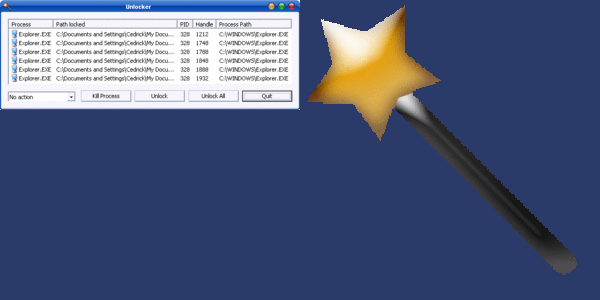
If you've ever been unable to delete a file in Windows, and can't figure out what program's using it, Unlocker is the solution. Have you ever seen these Windows error messages?
  • Cannot delete folder: It is being used by another person or program
  • Cannot delete file: Access is denied
  • There has been a sharing violation.
  • The source or destination file may be in use.
  • The file is in use by another program or user.
  • Make sure the disk is not full or write-protected and that the file is not currently in use.


Eraser 6.0.8.2273


Eraser 6.0.8.2273

8.76MB (Open Source)
Eraser is an advanced security tool for Windows which allows you to completely remove sensitive data from your hard drive by overwriting it several times with carefully selected patterns.
When you delete a file, the operating system does not really remove the file from the disk; it only removes the reference of the file from the file system table. The file remains on the disk until another file is created over it, and even after that, it might be possible to recover data by studying the magnetic fields on the disk platter surface.


27.12.10

Autoruns 10.06

Autoruns 10.06

Download Autoruns 10.06
606KB (Freeware)

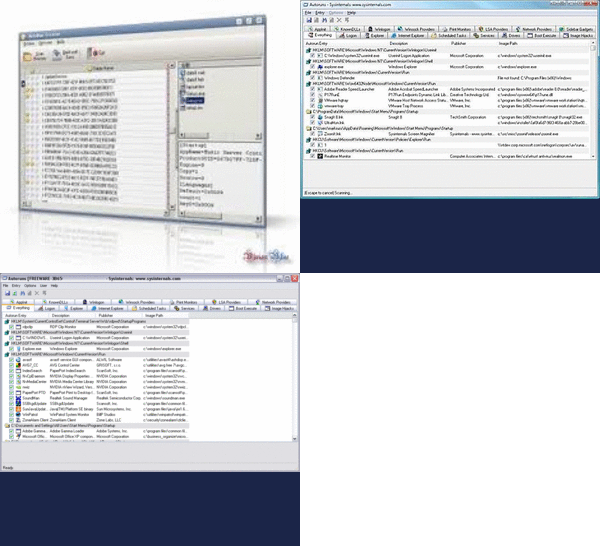
Autoruns shows you what programs are configured to run during system bootup or login, and shows you the entries in the order Windows processes them. These programs include ones in your startup folder, Run, RunOnce, and other Registry keys.


24.12.10

Tweak UI 2.1


Tweak UI 2.1
 146.67 KB - (Freeware)

Tweak UI 2.1 Download Tweak UI is a free tool, which will help you optimize, tweak, and personalize your Windows machine. It can adjust your computer for faster performance by turning off some of the operating system’s features like animated windows, fading menus, shadows, etc.


23.12.10

Defraggler 2.01.239

Defraggler 2.01.239

2.91MB (Freeware)
Most defrag tools only allow you to defrag an entire drive. Defraggler lets you specify one or more files, folders, or the whole drive to defragment.
When Defraggler reads or writes a file, it uses the exact same techniques that Windows uses. Using Defraggler is just as safe for your files as using Windows.
At a glance, you can see how fragmented your hard drive is. Defraggler's drive map shows you blocks that are empty, not fragmented, or needing defragmentation.


27.11.10

Defraggler ver.2


Defraggler

Disk Defragmentation

DefragglerUse Defraggler to defrag your entire hard drive, or individual files - unique in the industry. This compact and portable Windows application supports NTFS and FAT32 file systems


CCleaner v3.01


CCleaner

Optimization and Cleaning

CCleanerCCleaner is the number-one tool for cleaning your Windows PC. It protects your privacy online and makes your computer faster and more secure. Easy to use and a small, fast download